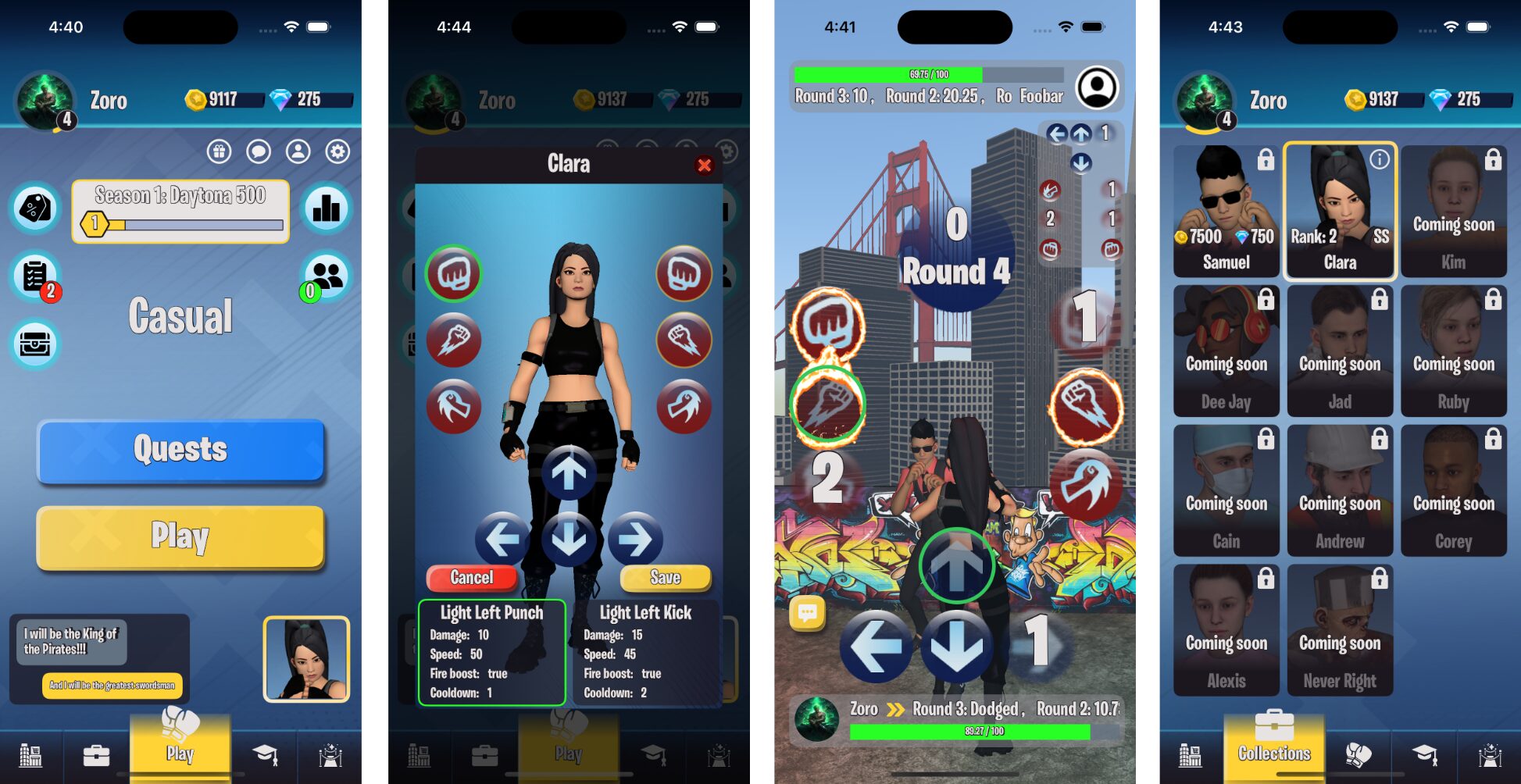
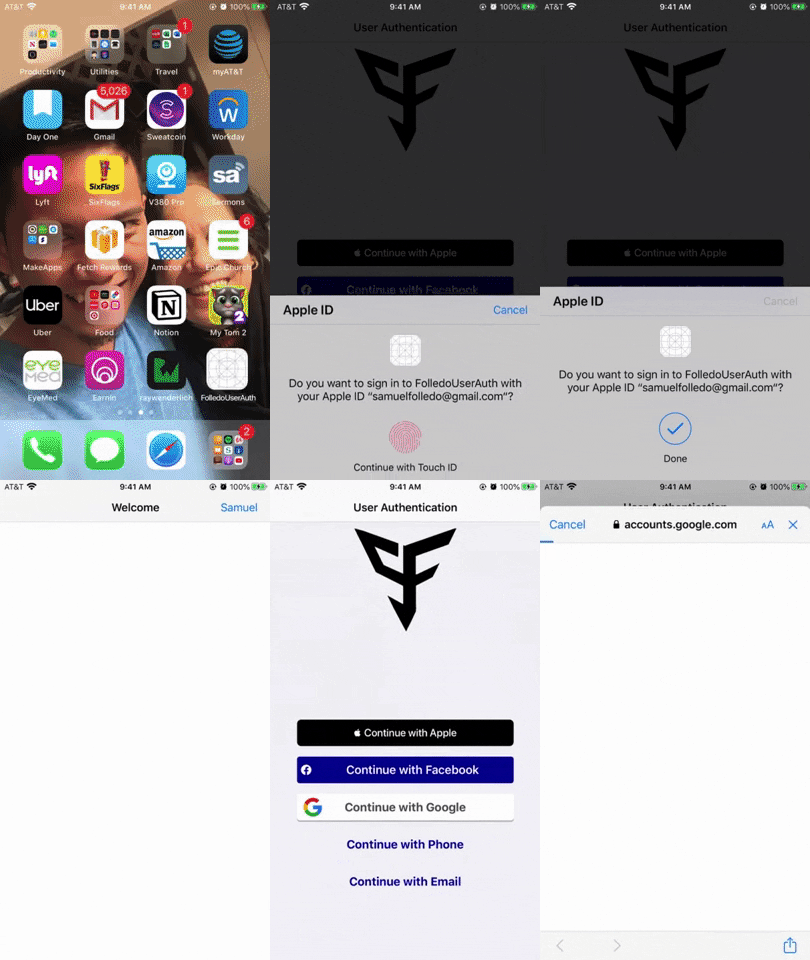
This project is my attempt to use the best and newest practices in Swift and popular third party libraries; Combine, Firebase (Firestore, Authentication, Storage, Crashlytics), and uses MVVM pattern.
Technologies
Collada (.dae files) for 3D models and animations. Animations were downloaded from Adobe's Mixamo by uploading the character's .fbx file
Swift
App is mostly in SwiftUI, however, UIKit is required for SceneKit
Create your own Firebase project here and download its GoogleService-Info.plist into your Xcode project. Ensure to enable Firestore, Storage, and Authentication for email and password in the Firebase project
Game Demo
Game Rules
Each round before the timer runs out, both players can select up to 1 attack and 1 defense move
When the current round's timer runs out, damage is applied to opposing enemy's HP depending on each player's selected moves. Selected moves also goes into cooldown at the end of the round
Attack rules:
There are 3 types of attack: light, medium, and hard.
Light type of attacks are faster but does lesser damage, meanwhile hard type of attacks does more damage but are slower. Cooldown are also longer for hard attacks compared to light attacks.
Landing an attack first gives the attacker a slight speed boost for next round and reduce incoming damage based on attack type. Hard attacks will reduce incoming damage much more than light attacks
Some attacks can boost the damage of attacks that are not on cooldown for the next round indicated with fire
Each attack type can land either left or right
Defense rules
There are 4 types of defense: left, right, up, down
Defense type: left or right defense move can dodge an attack and receiving 0 damage
Defense type: up will increase your speed, increase damage dealt, and damage received
Defense type: back will reduce your speed and reduce incoming damage
The game ends when one of the player’s HP reduces to 0
This game will never result to tie
Authentication Demo
Account Creation
Uses Firebase’s Authentication for authentication
Account creation requires a unique username, unique email, and password. Profile picture is optional
Email or username along with a password can be used to authenticate
Account created but incomplete (i.e. user name was not set), after logging in, the app will transition to finishing account creation
User’s data are stored in Firebase Firestore and profile picture in Firebase Storage
Account Deletion
Deleting accounts gets their Firebase Firestore’s data, Firebase Storage’s profile picture, and Firebase Authentication’s account permanently deleted
Locally stored account data and remembered email/password are permanently deleted
Account deletion requires a recent authentication before performing
Account Creation
Account Deletion
Account Log In With Email or Username
Username authentication fetches the user’s email using the unique username, then use that email along with the password to authenticate
Logging in fetches user’s data from Firebase Firestore, user’s profile picture from Firebase Storage, and store cache them locally
With remember email and password feature which gets updated when updating the user’s username
Log In With Email
Log In With Username
Account Update Username and Password
Recent authentication is required in order to update account
Update email and profile picture is also supported
iOS app that sends Slack notifications when mail is delivered. Designed to improve mail system in Make School student housing.
How it works
With an image of a mail or shipping label captured by the camera, this app uses Firebase's VisionTextRecognizer API to return all texts found from the still image. With an algorithm I wrote, the app will show the name it predicts on a text field to allow editing. Once the user confirms the name is correct and clicks send, the app will request a GET to SnailMail's backend developed by Genji to find the name given and send a Slack message.
This demo shows how the app captures an image and using Machine Learning and name finder algorithm I wrote, displays the name found from the mail. It also shows a Slack message received with the address written on the mail.
Demo 2: Update mail's recipient
This demo shows how the app works with any type of mail or shipping labels and how the name can be updated if for some reason, the name it captures is wrong. It also demonstrates in the Slack message's address matches the mail's address.
Demo 3: Swipe to delete, and delete all mails
This demo shows secondary screens like larger image and list of all mails scanned which can be swiped to delete, or delete all with animations.
In developers.facebook.com, you will also need to go to your project's Settings and see the Client OAuth Settings and paste OAuth redirect URI from Firebase's project -> Authentication -> Sign-in method -> Facebook (e.g.https://folledouserauth.firebaseapp.com/**/auth/handler) into Valid OAuth Redirect URIs
You will also need to remove my 2 Facebook code blocks in Info.plist file and put yours instead.
to paste Google-Sevice-Info.plist's REVERSE_CLIENT_ID's value in the project -> Info -> URL Types -> + //Comitted on January, 4 2019
APNs Certificates are required to be uploaded in your Firebase project's Project Settings -> Cloud Messaging -> iOS app configuration which needs to be updated annually //Comitted on January, 4 2019
Notice how phone, email is supported as well as Apple and Google under one email.
AuthMenu Screen
Where users can select from either Sign In with Apple, Facebook, Google, Phone, or Email. Using Facebook or Google will take your profile picture if allowed
Phone Auth/Email Auth Screen
Signin or register via phone or email authentication. It will know if phone or email already exist in the database, and will either log in or register user accordingly.
Account Table
User can view their profile picture and logout. (Upcoming features are, delete account from account settings, update names and profile picture)
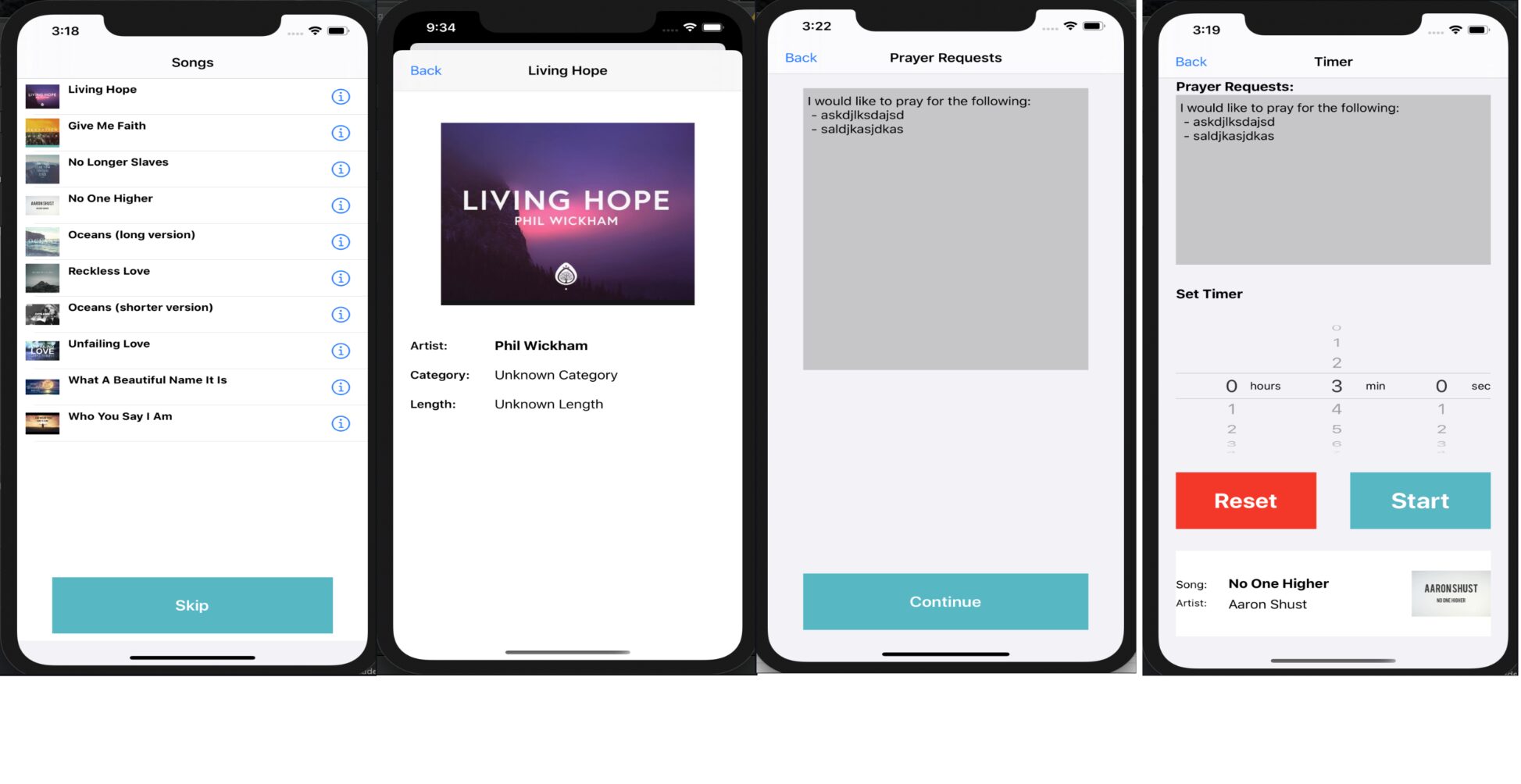
iPray is a guided prayer iOS app that will help user with their prayer by tracking the time you spent praying and log your prayer requests
Screenshots of how the app looks like
SongsVC - home/main screen which contains all the songs stored locally
SongInfoVC - plays the song while showing more info about the selected song
PrayerRequestVC - A space to jot down prayer requests which remain secure and persistent
TimerVC - view prayer requests and selected song, with a picker view to set the length you want to pray with a background music. Button beneath the picker views for starting, pausing, and canceling the timer
Swift strings utility written in Go which automates boring Swift strings tasks like:
Feature 1: Constantify Strings Creates global constant variables from all .swift files to a constant file
Feature 2: Localize Strings Transform all valid translatable strings as NSLocalizedString and copies them to all Localizable.strings files while avoiding duplicated strings
Feature 3: Translate Strings Uses Google Cloud Translation to automatically translate all strings in all Localizable.strings, allowing iOS, MacOS, etc apps to support multiple languages in a few seconds
Live Demo
Why Use?
Avoid unintended typos
Have strings autocompleted
Easily manage all your strings in one file
Auto generate strings Localizable.strings and avoid duplicate strings
Automatically translate all strings in Localizable.strings
How to Use?
Download StringsUtility
clone the repo
$ git clone https://github.com/SamuelFolledo/StringsUtility $ cd StringsUtility
While inside StringsUtility directory, run in terminal once
$ go get -u cloud.google.com/go/translate
Important: Run this command once each fresh terminal. Replace the [PATH] to the path of the .json file downloaded from setup 2 step 3. Instructions for more info or for Windows setup
run the program locally replacing [PATH_TO_YOUR_PROJECT] with your project directory
$ go build && go run main.go -dir=[PATH_TO_YOUR_PROJECT]
For example:
go build && go run main.go -dir=/Users/macbookpro15/Desktop/StringsUtilityTester
Tips and Requirements
Currently does not support multi line strings
To avoid unnecessary translation, strings which contains substrings like file extensions, keywords, and symbols will not be translated. Edit strings and files to follow these standards.
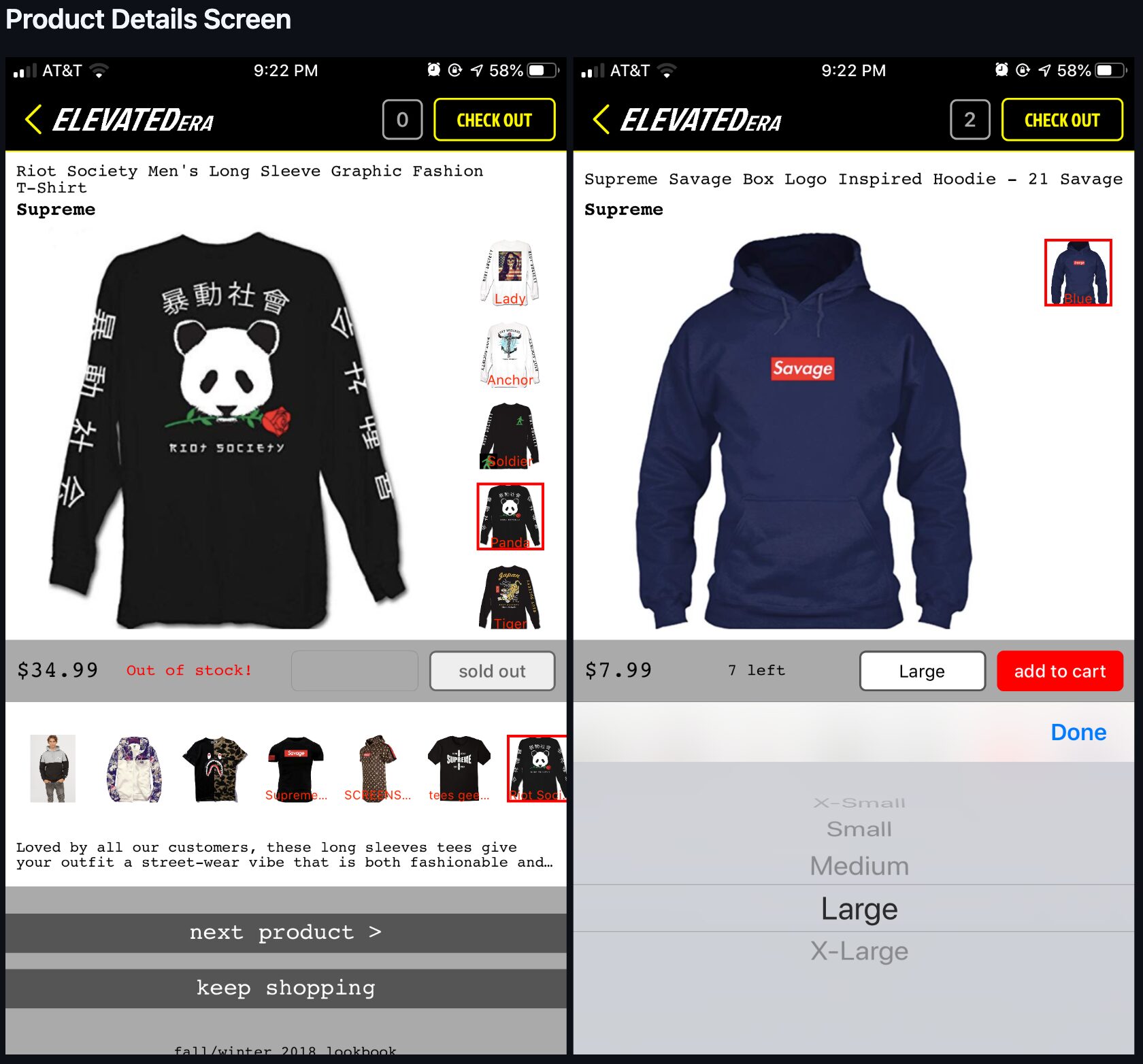
An ecommerce store app, inspired by Supreme store app, with extra features I developed for my friend Kennedy Ngo's clothing business, "Elevated Era".
Screenshots of how the app looks like
Launch Screen
Home and Product Lists Screen
Product Details Screen
Checkout and Cart Screen
Unlike Supreme App store, you can customize the quantity in the cart as well as save user information and address without the need of creating an account
An addicting online game playable on 2 different devices or on the same device. Inspired by a child's Rock Paper Scissor game but with twice or maybe more the possibilities and moves to choose from. Meaning, you will lose at least 1 if not all games every 10 games you play
Play style
It's very simple,
Pick one move and one attack move each round before the timer runs out.
First player to drop to 0 HP loses
Uses
Can't decide with your partner who's going to wash the dishes or do the laundry? Play the game and whoever loses do both chores.
Can't decide with your mom if you should drop out of college? Play the game and if you win, drop out, if she wins get the degree as a Cum Laude
Can't decide who's paying the restaurant bill? Play the game and whoever loses pays for it and buys the winner a desert.
Can't decide what movie to watch? Play the game and if you lose, then watch a movie you would never watch
Future features
Flow and fiero
Reward system for leveling up
At level 5 allows you the group chat room
At level 8, unlock your own house
At level 10 unlock Pet room
At level 20 unlock 2nd floor
At level 50 unlock Mansion mode
Reward system for consistent playing time
Reward system for playing more games in one day
Different game modes
Normal mode
Fast mode
Super saiyan mode
Screenshots of how the app looks like
CurrentGameVC - Game just started with full HP (originally 100HP but 30HP here for faster testing purposes)
CurrentGameVC-attacking - shows attack animations when timer runs out and HP bar going down
CurrentGameVC-ended - shows who won before going to GameOverVC
GameOverVC - GameOver VC for winners, showing current user's image and how much experience you gained and how it affected your experience bar
PreGameVC - Invite other users via email, and decline or accept game invitations from other users
GameHistoryVC - Displays game history results, opponent and current user's info like win/lose, level, experience, name, etc.
MainMenuVC - home/main screen which welcomes user with 3 buttons (Login/Play/Chat). No fancy UI
ChatVC - chat with other users that plays the game